

Accessibility-First WordPress Design: Why Inclusive UX Improves SEO
Date: 30/03/2026
Summary
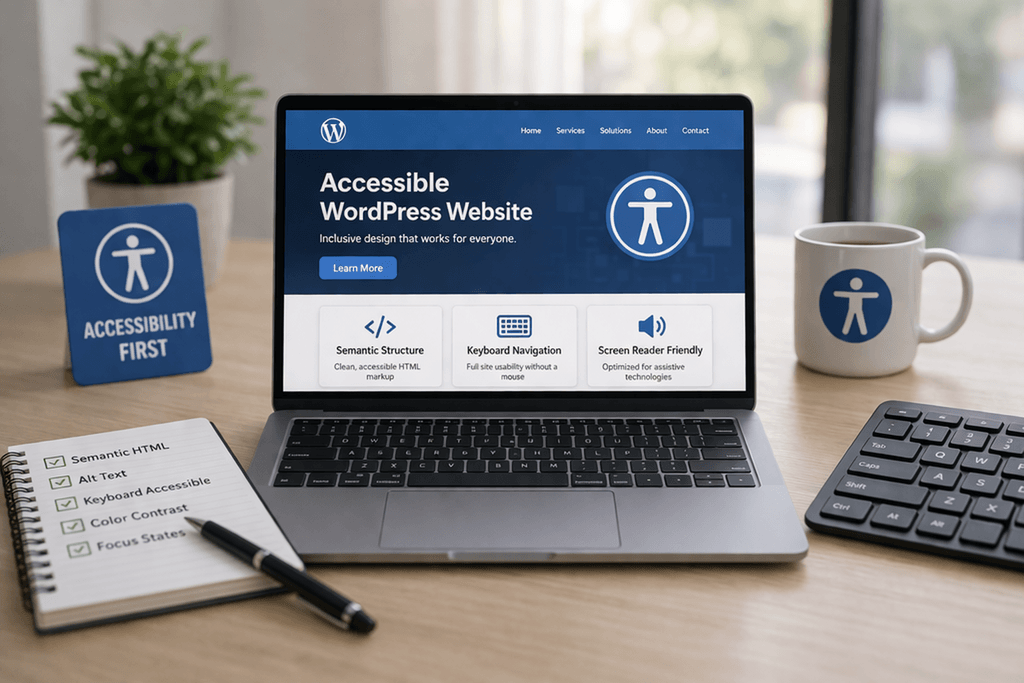
In 2026, the best-performing websites are no longer just beautiful—they are accessible by design.
An accessibility-first WordPress design approach improves usability for everyone, strengthens SEO, and increases conversions across every audience segment.
For B2B brands, SaaS companies, and enterprise websites, inclusive UX is now a growth strategy, not just a compliance checkbox.
This guide explains why accessibility directly impacts rankings, engagement, and long-term business performance.
What Is Accessibility-First WordPress Design?
Accessibility-first design means building your WordPress website so it works seamlessly for:
- Users with visual impairments
- Users relying on screen readers
- Keyboard-only navigation users
- People with motor or cognitive disabilities
- Mobile and low-bandwidth users
This includes both technical accessibility and inclusive UX patterns.
Key areas include:
- Semantic HTML structure
- Proper heading hierarchy
- Alt text and image context
- Keyboard navigation
- Focus states
- Contrast ratios
- ARIA labels where needed
👉 The result is a website that is easier for users and search engines to understand.
Why Accessibility Improves SEO
Accessibility and SEO are deeply connected because both rely on clarity, structure, and machine readability.
1) Semantic HTML Improves Crawlability
Using clean semantic HTML helps search engines interpret page meaning.
Examples:
<header><main><section><article><nav>
This improves:
- content hierarchy
- keyword relevance
- featured snippet eligibility
👉 Better structure = better indexing.
2) Proper Headings Strengthen Content Relevance
Accessible heading structures help:
- users scan content
- crawlers understand topic clusters
- AI search systems extract answers
Best practices:
- one clear H1
- logical H2/H3 nesting
- no skipped heading levels
This directly supports topical SEO and GEO discoverability.
3) Alt Text Creates Additional Keyword Relevance
Descriptive alt text improves:
- image SEO
- accessibility for screen readers
- contextual keyword signals
Example:
Instead of:
image1.jpg
Use:
“WordPress accessibility-first homepage with semantic block layout”
👉 This adds searchable relevance without keyword stuffing.
4) Better UX Reduces Bounce Rate
Inclusive UX improves:
- readability
- navigation ease
- interaction clarity
- mobile usability
This leads to:
- longer session duration
- lower bounce rate
- more pages per session
👉 Strong engagement signals often correlate with better rankings.
Inclusive UX Elements That Improve Conversions
Accessibility also improves business KPIs.
Keyboard-Friendly Navigation
Helps all power users move faster
Clear Focus States
Improves form completion and CTA visibility
Readable Typography
Reduces cognitive load
Sufficient Whitespace
Improves scanability and trust
Accessible Forms
Higher lead generation success
👉 Better usability = better lead conversion rates.
Accessibility Best Practices for WordPress
✅ Use Native Gutenberg Blocks Correctly
Modern block-based WordPress can be highly accessible when implemented properly.
Best practices:
- use native blocks first
- avoid div-heavy custom builders
- preserve semantic output
- validate block patterns
✅ Prioritize Screen Reader Compatibility
Ensure:
- buttons have labels
- icons include accessible names
- dynamic content announces updates
- modals trap focus correctly
✅ Optimize Keyboard Navigation
Users should be able to:
- access menus
- navigate forms
- close popups
- submit CTAs
…without touching a mouse.
✅ Improve Color Contrast
Ensure text contrast ratios meet WCAG standards.
This improves:
- readability
- mobile sunlight visibility
- CTA clarity
Why Accessibility Matters for AI Search and GEO
This is where accessibility becomes even more valuable.
AI search engines and answer systems rely on:
- semantic structure
- content clarity
- hierarchy
- clean labeling
This means accessible pages are often easier for:
- Google AI Overviews
- ChatGPT search discovery
- Bing Copilot
- answer engines
👉 Accessibility improves machine comprehension, which is the foundation of GEO.
Common Accessibility SEO Mistakes
❌ using page builders with poor markup
❌ missing alt text
❌ bad heading hierarchy
❌ invisible focus states
❌ inaccessible mega menus
❌ poor contrast on CTA buttons
These issues hurt both rankings and conversions.
Business Impact of Accessibility-First Design
The ROI is bigger than most brands expect.
Benefits
- stronger SEO
- higher conversion rates
- broader audience reach
- better compliance
- enterprise trust
- stronger AI discoverability
👉 Inclusive UX creates both growth and defensibility.
Final Takeaway
Accessibility-first WordPress design is one of the highest-ROI improvements you can make in 2026.
It improves:
- SEO
- GEO visibility
- usability
- conversions
- enterprise readiness
👉 The future of high-performing websites is inclusive by default.
🚀 Want an Accessibility-First WordPress Website That Ranks and Converts?
At Betlace, we build high-performance, accessibility-first WordPress websites designed for SEO, AI discoverability, and conversion growth.
If your current website is hard to use, hard to rank, or hard to scale—we can help.
Trending articles
Ukraine vs Poland vs Balkans: Where to Hire the Best WordPress Developers in 2026
Why Eastern Europe Is the Smartest Place to Hire a WordPress Agency in 2026
Funnel Flattening: How Modern WooCommerce Stores Remove Checkout Friction

AI-Powered WooCommerce: How Smart Personalization Increases Conversions
╳
We`d love
to hear
from you
to hear
from you
Get a Best Project Consultation
Congratulations!
Message sent successfully!