


Why Most WordPress Redesigns Fail — and How to Avoid It
Date: 21/02/2026
Summary
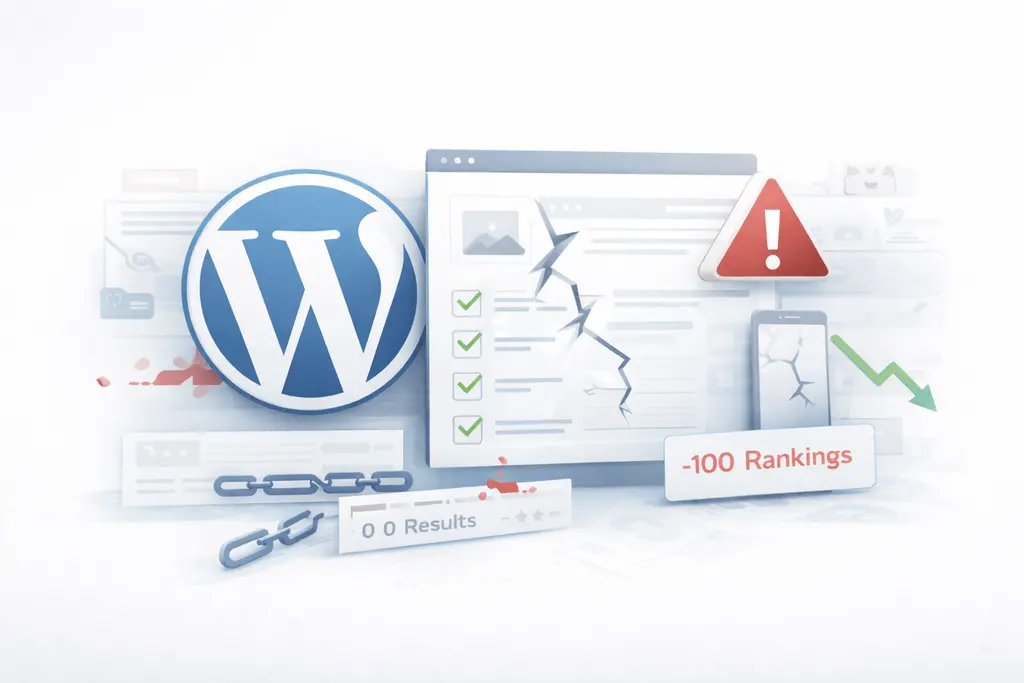
A WordPress redesign is usually started with good intentions: better UX, higher conversions, faster pages, modern look.
Yet in practice, most redesigns quietly lose traffic, break lead generation, and create long-term technical debt.
At Betlace, we audit and rebuild WordPress platforms for growing businesses — and the same mistakes appear again and again.
This article explains:
-
why most WordPress redesigns fail,
-
what actually causes traffic and lead loss,
-
and how to run a redesign that supports SEO, growth and long-term scalability.
The real problem: redesign is treated as a visual project
The biggest misconception is simple:
A WordPress redesign is not a design project.
It is a business and platform architecture project.
Most agencies focus on:
-
UI
-
animations
-
layouts
-
visual trends
And ignore:
-
content structure
-
URL strategy
-
performance budgets
-
tracking
-
scalability
-
editorial workflows
-
SEO continuity
As a result, companies launch a beautiful website that performs worse than before.
1. No SEO migration strategy
This is the number one reason redesigns fail.
Typical situation:
-
URLs are changed
-
category structure is modified
-
blog taxonomy is reworked
-
old landing pages disappear
But:
-
no redirect map exists
-
no crawl comparison is done
-
no search intent mapping is prepared
What goes wrong
-
rankings drop
-
indexed pages disappear
-
backlinks start returning 404
-
internal linking collapses
How to avoid it
Before design starts:
-
export all existing URLs
-
map every important URL to a new destination
-
define canonical structure
-
preserve high-performing pages even if design changes
Redesign must preserve SEO equity — not reset it.
2. Content is redesigned without understanding search intent
Most redesigns rewrite content to “sound better”.
But they never check:
-
what users actually search for
-
which pages already rank
-
which queries drive conversions
What goes wrong
-
informational pages become marketing pages
-
transactional pages become vague branding pages
-
keyword relevance is diluted
How to avoid it
Before redesign:
-
group pages by intent:
-
informational
-
commercial
-
transactional
-
-
assign a clear primary purpose to every page
Design must support content purpose, not overwrite it.
3. Performance is ignored until after launch
Another common mistake:
Performance is treated as a technical cleanup phase after design approval.
But by that time:
-
layouts are already heavy
-
page builders are deeply embedded
-
animations are locked into UX
What goes wrong
-
Core Web Vitals drop
-
mobile performance suffers
-
crawl budget decreases
-
conversion rates fall
How to avoid it
Set a performance budget before design:
-
max page weight
-
max JavaScript execution time
-
font strategy
-
image strategy
Design decisions must be validated against performance, not just aesthetics.
4. Page builders are chosen for speed of design, not platform stability
Many redesigns fail because of the wrong tooling decision.
Typical reasoning:
We can build faster with a visual builder.
Short term — yes.
Long term — usually no.
What goes wrong
-
content becomes tightly coupled to layout
-
structured data is impossible to maintain
-
editors struggle with complex sections
-
developers cannot extend safely
This becomes a serious problem for:
-
multi-language sites
-
large content platforms
-
product-like websites
-
marketing automation setups
How to avoid it
Choose tools based on:
-
structured content support
-
long-term maintainability
-
scalability of content models
-
integration readiness
For business websites, structure always beats convenience.
5. No content model is defined
Most redesigns start with:
-
homepage
-
services pages
-
blog
But nobody defines:
-
what content types exist
-
how content is reused
-
how editors will actually work
What goes wrong
-
duplicated content
-
inconsistent layouts
-
copy-paste blocks everywhere
-
fragile page structures
How to avoid it
Before development:
-
define content types (services, cases, industries, resources, etc.)
-
define reusable components
-
define editorial workflows
A redesign without a content model is not scalable.
6. Conversion logic is removed by design
A very common failure scenario:
Design becomes cleaner.
But during cleanup:
-
CTAs are removed
-
lead magnets disappear
-
micro-conversion elements are dropped
-
internal linking is weakened
What goes wrong
The site looks better — but produces fewer leads.
How to avoid it
Before redesign:
-
audit all existing conversion paths
-
document:
-
forms
-
CTAs
-
funnels
-
lead sources
-
Design must support conversions, not erase them.
7. Tracking and analytics are rebuilt after launch
Most redesign projects forget analytics until:
“We launched. Something looks strange in reports.”
What goes wrong
-
goals are missing
-
form events are lost
-
historical comparisons become meaningless
-
attribution breaks
How to avoid it
Tracking must be part of redesign scope:
-
define events
-
define funnels
-
define goals
-
validate tracking before public launch
Without clean tracking, you cannot validate redesign success.
8. Internal linking and content hierarchy are destroyed
Design often focuses on visual navigation only.
But search engines rely heavily on:
-
internal linking structure
-
contextual links
-
content hierarchy
What goes wrong
-
orphan pages appear
-
important pages lose internal authority
-
crawl paths become shallow
How to avoid it
During redesign:
-
map content clusters
-
define pillar pages
-
maintain contextual links
-
preserve depth and hierarchy
Navigation is not equal to internal linking.
9. Redesign is done without staging and SEO validation
Many WordPress redesigns are launched:
-
directly to production
-
without crawl validation
-
without indexation checks
What goes wrong
-
noindex leaks
-
blocked resources
-
broken pagination
-
duplicate pages
How to avoid it
Before launch:
-
crawl staging environment
-
validate:
-
status codes
-
meta directives
-
canonical rules
-
structured data
-
-
test sample pages on mobile and slow networks
10. No post-launch stabilization phase
A redesign is not finished at launch.
But most projects end exactly there.
What goes wrong
-
ranking drops are noticed too late
-
technical bugs remain unreported
-
editors struggle with the new system
How to avoid it
Plan a stabilization phase:
-
daily crawl checks
-
weekly performance monitoring
-
conversion tracking validation
-
editorial feedback loop
A safe WordPress redesign checklist
Use this as a baseline before you start any redesign.
Strategy
-
Existing URLs exported and classified
-
Search intent mapped
-
Conversion paths documented
-
Content clusters defined
SEO & content
-
Redirect map prepared
-
Canonicals planned
-
Internal linking structure designed
-
Indexation rules validated
Platform & architecture
-
Content types defined
-
Reusable components designed
-
Editorial workflow approved
-
Tooling selected for long-term scalability
Performance
-
Performance budget defined
-
Image and font strategy approved
-
JavaScript strategy validated
Tracking
-
Events and goals defined
-
Forms tracked
-
Funnels validated
Launch & stabilization
-
Crawl tests done
-
Mobile performance tested
-
Post-launch monitoring planned
The real reason most redesigns fail
Most WordPress redesigns fail not because of bad design.
They fail because:
nobody treats the website as a business system.
A modern website is:
-
a marketing platform
-
a content platform
-
a conversion engine
-
and a long-term digital asset
Redesigning only the interface is not enough.
Final takeaway
If your redesign does not:
-
preserve SEO equity,
-
improve performance,
-
strengthen content structure,
-
and support lead generation,
then it is not a redesign.
It is a risk.
Planning a WordPress redesign and want to avoid traffic and lead loss?
At Betlace, we help companies redesign WordPress platforms with a strong focus on:
-
SEO continuity,
-
structured content,
-
performance,
-
and scalable architecture.
Request a free WordPress redesign audit and get a clear, technical roadmap before you invest in design.
Trending articles

Ukraine vs Poland vs Balkans: Where to Hire the Best WordPress Developers in 2026
Why Eastern Europe Is the Smartest Place to Hire a WordPress Agency in 2026

Funnel Flattening: How Modern WooCommerce Stores Remove Checkout Friction

AI-Powered WooCommerce: How Smart Personalization Increases Conversions
╳
We`d love
to hear
from you
to hear
from you
Get a Best Project Consultation
Congratulations!
Message sent successfully!