


How to Achieve 90+ Website Performance in WordPress with Google PageSpeed Insights
Date: 08/03/2026
Summary
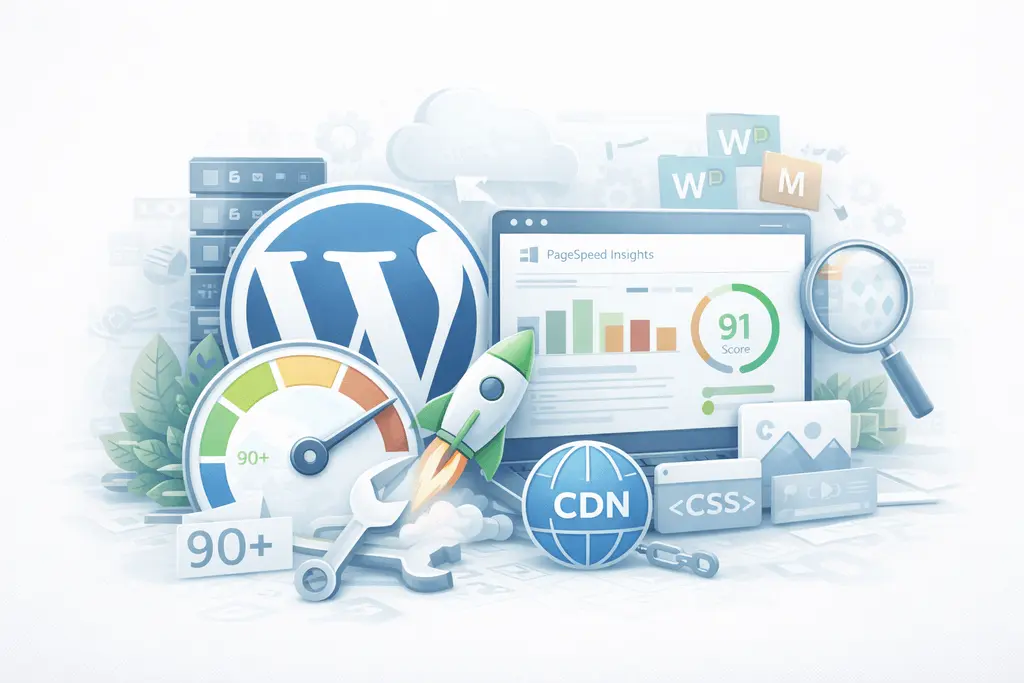
Website speed is one of the most important factors for online success. A slow website can frustrate users, reduce conversions, and negatively affect search engine rankings. For businesses that rely on WordPress, optimizing performance is essential to provide a fast, smooth user experience.
Tools like Google PageSpeed Insights help measure website speed and provide actionable recommendations to improve performance. Achieving a 90+ performance score is often considered a benchmark for a well-optimized website.
In this guide, we’ll explore practical tips to improve WordPress performance and achieve higher scores in Google PageSpeed Insights.
Why WordPress performance optimization matters
A fast website benefits both users and search engines. Search engines like Google use performance signals to evaluate the quality of a website.
Better performance leads to:
-
improved search rankings
-
better user experience
-
higher conversion rates
-
lower bounce rates
-
stronger SEO performance
Speed optimization is not just about scoring high in tools; it directly impacts business growth.
1. Choose high-performance hosting
Your hosting environment is the foundation of website speed. Poor hosting can slow down even a well-optimized WordPress website.
High-performance hosting should provide:
-
optimized server configuration
-
fast SSD storage
-
built-in caching
-
reliable uptime
-
scalability for traffic growth
Managed WordPress hosting platforms are usually optimized specifically for WordPress performance.
2. Use a lightweight WordPress theme
Heavy themes often include unnecessary scripts, animations, and page builders that slow down your website.
When selecting a theme, look for:
-
clean code structure
-
minimal design overhead
-
mobile responsiveness
-
compatibility with performance plugins
Lightweight themes significantly reduce page load time.
3. Optimize images before uploading
Large image files are one of the most common reasons for slow websites.
Best practices include:
-
compress images before uploading
-
use modern formats like WebP
-
resize images to the correct dimensions
-
enable lazy loading
Image optimization can drastically reduce page size and improve loading speed.
4. Use caching to improve loading time
Caching stores static versions of your pages so the server does not need to generate them repeatedly.
Benefits of caching:
-
faster page loading
-
reduced server load
-
improved user experience
Caching is one of the easiest ways to boost your performance score in Google PageSpeed Insights.
5. Minimize CSS, JavaScript, and HTML
Unoptimized code increases file size and loading time.
Optimization techniques include:
-
minifying CSS and JavaScript files
-
removing unused code
-
combining files when possible
-
deferring non-critical JavaScript
These improvements help browsers load your website faster.
6. Use a Content Delivery Network (CDN)
A CDN distributes your website content across multiple global servers.
When users visit your website, files are delivered from the closest server location.
Benefits include:
-
faster loading times worldwide
-
reduced server load
-
improved reliability
A CDN is especially useful for websites with international visitors.
7. Reduce unnecessary plugins
WordPress plugins add functionality, but too many plugins can slow down your website.
Common issues caused by excessive plugins include:
-
additional scripts and styles
-
database queries
-
compatibility conflicts
Keep only the plugins that are necessary for your website.
8. Optimize your WordPress database
Over time, WordPress databases accumulate unnecessary data such as:
-
post revisions
-
spam comments
-
expired transients
-
unused metadata
Regular database optimization helps maintain fast performance.
9. Enable browser caching
Browser caching allows returning visitors to load pages faster because static files are stored locally on their device.
This reduces the number of files that need to be downloaded each time a visitor loads your site.
Browser caching improves performance scores and user experience.
10. Optimize Core Web Vitals
Google PageSpeed Insights measures performance using metrics called Core Web Vitals.
Important metrics include:
-
Largest Contentful Paint (LCP)
-
First Input Delay (FID)
-
Cumulative Layout Shift (CLS)
Improving these metrics helps your website meet the performance standards recommended by Google.
11. Enable lazy loading for media
Lazy loading delays loading images and videos until they are needed.
This means media files only load when users scroll to them.
Benefits include:
-
faster initial page load
-
reduced bandwidth usage
-
improved performance scores
12. Use modern image formats
Modern formats like WebP provide high image quality with smaller file sizes.
Compared to traditional formats like JPEG and PNG, WebP images load faster and improve performance.
Many optimization tools automatically convert images to WebP format.
13. Monitor website performance regularly
Website optimization is not a one-time task.
Regular performance monitoring helps detect issues before they impact users.
Use tools like:
-
Google PageSpeed Insights
-
performance monitoring dashboards
-
uptime monitoring tools
Continuous monitoring ensures your website stays optimized.
Common mistakes that slow down WordPress websites
Many websites struggle with performance because of common mistakes such as:
-
oversized images
-
too many plugins
-
poor hosting providers
-
unoptimized code
-
excessive external scripts
Identifying and fixing these issues can significantly improve performance scores.
Final thoughts
Achieving a 90+ performance score in WordPress is possible with the right optimization strategy. By focusing on hosting, caching, image optimization, and code efficiency, businesses can significantly improve website speed.
Fast websites not only perform better in tools like Google PageSpeed Insights but also deliver better user experiences and stronger SEO results.
Performance optimization should be treated as an ongoing process rather than a one-time fix.
If your WordPress website is slow or struggling to reach a 90+ score in Google PageSpeed Insights, our team can help.
We specialize in WordPress performance optimization, including:
-
speed optimization
-
Core Web Vitals improvements
-
image and database optimization
-
caching and CDN configuration
-
technical SEO improvements
🚀 Contact us today to get a WordPress performance audit and start improving your website speed and search rankings.
Trending articles

Ukraine vs Poland vs Balkans: Where to Hire the Best WordPress Developers in 2026
Why Eastern Europe Is the Smartest Place to Hire a WordPress Agency in 2026

Funnel Flattening: How Modern WooCommerce Stores Remove Checkout Friction

AI-Powered WooCommerce: How Smart Personalization Increases Conversions
╳
We`d love
to hear
from you
to hear
from you
Get a Best Project Consultation
Congratulations!
Message sent successfully!