


Top WordPress Security & Maintenance Practices for Growing Businesses
Date: 07/03/2026
Summary
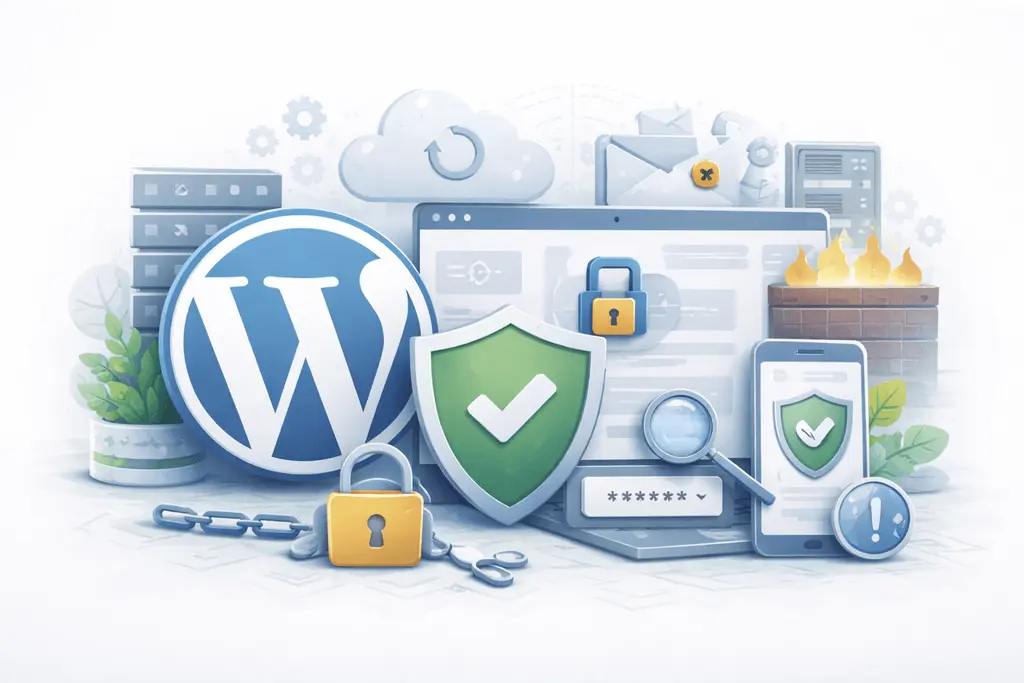
For many companies, WordPress starts as a simple marketing website.
But as the business grows, the website becomes something much bigger:
-
a lead generation engine
-
a content platform
-
a customer acquisition channel
-
and a critical business asset
Yet security and maintenance are often treated as an afterthought.
A neglected WordPress website becomes vulnerable to:
-
security breaches
-
performance degradation
-
SEO issues
-
and expensive emergency fixes
This guide explains the most important WordPress security and maintenance practices for 2026 — especially for growing businesses that rely on their website to generate leads and revenue.
Why WordPress security and maintenance matter
Because WordPress powers a massive portion of the web, it is also a common target for automated attacks.
Most security incidents do not happen because WordPress itself is insecure.
They happen because of:
-
outdated plugins
-
poor hosting environments
-
weak access control
-
neglected maintenance routines
The good news is that most risks are completely preventable with proper processes.
1. Keep WordPress core, plugins, and themes updated
Outdated software is the number one cause of WordPress vulnerabilities.
Every update usually includes:
-
security patches
-
performance improvements
-
compatibility fixes
Best practices
-
update WordPress core regularly
-
remove unused plugins and themes
-
review plugin changelogs before updating
-
test major updates on staging first
Growing businesses should maintain a scheduled update process, not random manual updates.
2. Use a reliable hosting environment
Hosting is a critical security layer that many companies underestimate.
Cheap shared hosting environments often lack:
-
proper server isolation
-
proactive security monitoring
-
automatic backups
-
performance optimization
A professional hosting setup should include:
-
server-level firewalls
-
malware scanning
-
automated backups
-
staging environments
-
performance optimization
Your hosting provider is effectively part of your security team.
3. Implement strong authentication policies
Weak login security is one of the easiest attack vectors.
Automated bots constantly attempt:
-
brute-force login attempts
-
credential stuffing attacks
Essential measures
-
enable two-factor authentication (2FA)
-
limit login attempts
-
use strong password policies
-
restrict admin accounts
Only team members who actually need administrative access should have it.
4. Use proper user role management
As teams grow, access management becomes more important.
Many WordPress sites give too many users administrator privileges.
This increases risk significantly.
Best practices
Use role-based permissions:
-
administrators for site management
-
editors for content management
-
authors for publishing
-
contributors for drafts
Limiting permissions reduces the potential impact of compromised accounts.
5. Install a Web Application Firewall (WAF)
A firewall helps block malicious traffic before it reaches your website.
A WAF protects against:
-
brute force attacks
-
SQL injection attempts
-
malicious bots
-
suspicious traffic patterns
For growing businesses, a firewall provides an additional layer of protection beyond server security.
6. Perform regular website backups
Backups are your safety net.
Even with strong security, things can go wrong:
-
plugin conflicts
-
accidental deletions
-
failed updates
-
server issues
Backup strategy recommendations
-
automated daily backups
-
off-site storage
-
periodic backup testing
-
easy one-click restoration
A backup is only useful if it can be restored quickly.
7. Monitor website activity and changes
Security monitoring helps detect issues early.
Important things to monitor:
-
login activity
-
plugin changes
-
user role changes
-
file modifications
Activity logs help identify suspicious behavior before it becomes a serious problem.
8. Protect your website with SSL and HTTPS
HTTPS encryption is now a basic requirement for every professional website.
Benefits include:
-
secure data transmission
-
user trust
-
SEO benefits
-
browser compatibility
Search engines such as Google prioritize secure websites in search results.
9. Scan your website for malware regularly
Malware infections can happen silently.
Common consequences include:
-
SEO spam injections
-
hidden redirects
-
blacklisting in search engines
-
damaged brand reputation
Regular malware scans help detect issues early and prevent escalation.
10. Maintain strong plugin discipline
Plugins extend WordPress functionality, but they also introduce risk.
Too many plugins create:
-
security vulnerabilities
-
performance issues
-
maintenance complexity
Plugin best practices
-
install only trusted plugins
-
remove inactive plugins
-
review plugin update frequency
-
avoid abandoned plugins
Quality matters more than quantity.
11. Protect against spam and bot abuse
Growing websites attract automated spam and malicious bot traffic.
Common targets include:
-
comment sections
-
contact forms
-
login pages
-
API endpoints
Spam protection measures help protect both performance and data integrity.
12. Maintain website performance
Security and performance are closely connected.
Slow websites often suffer from:
-
bloated plugins
-
outdated code
-
unoptimized assets
Regular performance audits help keep the website efficient and scalable.
13. Audit your website regularly
Regular audits help identify issues before they become serious problems.
A proper maintenance audit should include:
-
security review
-
plugin evaluation
-
performance testing
-
SEO validation
-
backup verification
Quarterly audits are a good baseline for most growing businesses.
14. Use a staging environment for updates
Applying updates directly on a live website is risky.
A staging environment allows you to:
-
test updates safely
-
detect plugin conflicts
-
verify design and functionality
-
avoid downtime
For business-critical websites, staging environments are essential.
15. Build a long-term maintenance routine
The biggest security mistake is treating maintenance as a one-time task.
Security and maintenance must become a continuous process.
A typical maintenance routine includes:
Weekly:
-
plugin updates
-
security scans
-
uptime checks
Monthly:
-
backup verification
-
performance testing
-
plugin audit
Quarterly:
-
full security audit
-
SEO health check
-
infrastructure review
Consistency prevents most serious issues.
Common WordPress security mistakes
Many growing businesses unknowingly expose their websites to risk.
Typical mistakes include:
-
outdated plugins
-
abandoned themes
-
weak passwords
-
excessive admin access
-
missing backups
-
poor hosting environments
These problems rarely appear immediately — but when they do, the cost can be significant.
Final takeaway
WordPress security is not about installing one plugin and forgetting about it.
It requires:
-
reliable infrastructure
-
disciplined updates
-
proper access control
-
and consistent monitoring
For growing businesses, proactive security and maintenance protect:
-
organic traffic
-
customer trust
-
and long-term digital assets
A secure WordPress platform is the foundation for sustainable online growth.
Not sure if your WordPress website is properly secured and maintained?
We help growing businesses audit and maintain their WordPress platforms with a strong focus on:
security
performance
SEO stability
and long-term scalability
Request a WordPress security and maintenance audit and get a clear action plan to protect your website and business.
Trending articles

Ukraine vs Poland vs Balkans: Where to Hire the Best WordPress Developers in 2026
Why Eastern Europe Is the Smartest Place to Hire a WordPress Agency in 2026

Funnel Flattening: How Modern WooCommerce Stores Remove Checkout Friction

AI-Powered WooCommerce: How Smart Personalization Increases Conversions
╳
We`d love
to hear
from you
to hear
from you
Get a Best Project Consultation
Congratulations!
Message sent successfully!